Connection of smoke and gas sensors
Smoke detectors and gas sensors occupy a leading position in fire alarm systems. In this article, we will talk about connecting smoke and gas sensors to the AlphaSE Hub3 controller for automatic trigger notification.
First of all, it is worth noting that most of these sensors work on the principle of changing resistance, they are not suitable for us. For use in our system, it is necessary to select a sensor with a relay at the output. A short list of such devices is given below.
Smoke detectors | Gas sensors |
| ИПД-3.2М НЗ | GS-133 |
| SD-112 | GD100 |
| СПД 3.2 | |
| ИП 103-5/4-А3 | |
| ИП 212-45 (V1.24) с УС-02 |
Connection
All these sensors can be represented by a common connection diagram.
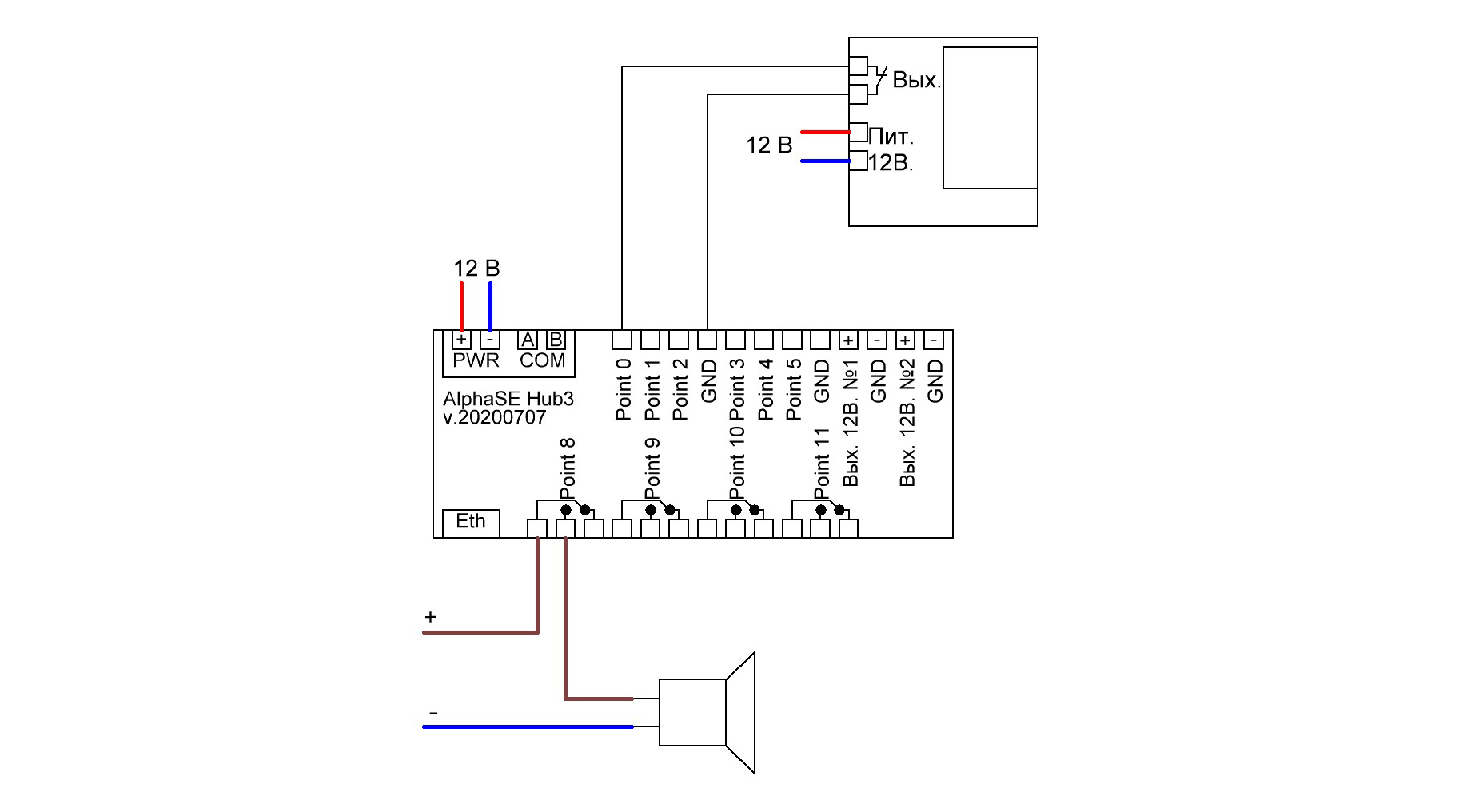
Setting
By default, all module inputs operate in push-button switch mode. To work with the motion sensor, you need to change the mode. To do this, log into your personal device management account, select the module to which the sensor is connected and set the following parameters according to the instructions.
Step 1.Setting the mode
Smoke detectors and gas sensors of burglar alarms have a normally closed alarm contact. This means that it is closed while the sensor is at rest. When the sensor is triggered, the signal contact opens.
For correct operation, the SE6i5o Light module must be configured by specifying the input to which the sensor will be connected. This is done by setting the module parameters. If the sensor is planned to be connected to the Point0 input, then we need to write the value 4 to parameter 26. For Point 1, the value 4 must be written to parameter 27, etc.
| Input/Output | Parameter | Value |
| Point0/Point8 | 26 | 4 |
| Point1/Point9 | 27 | 4 |
| Point2/Point10 | 28 | 4 |
| Point3/Point11 | 29 | 4 |
| Point4/Point12 | 30 | 4 |

Step 2. Setting up Notifications
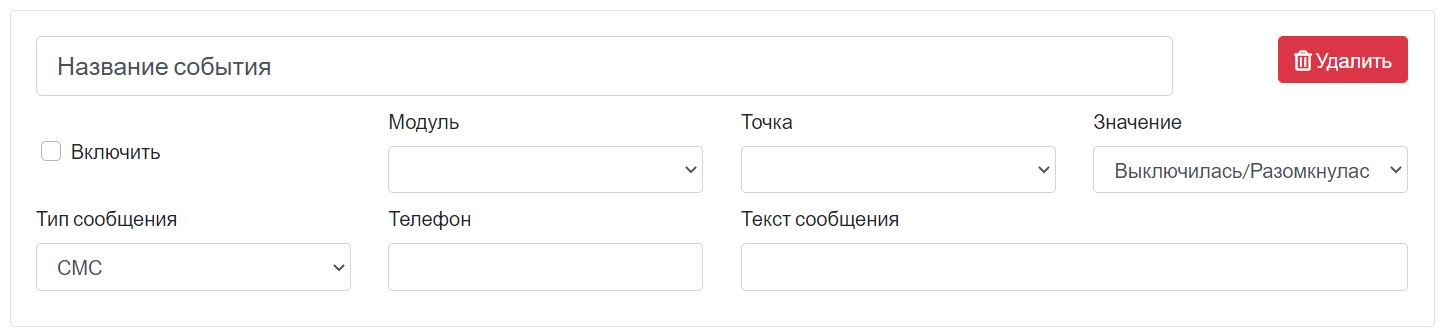
Go to the "Notification Settings" page of your hub. Then click "Add Event" and fill in all the items on the form. The module is the address of the device to which the sensor is connected. The point is the input (Point0 in the example). Value - turned off, opened, because the sensor opens when triggered..